View your tasks
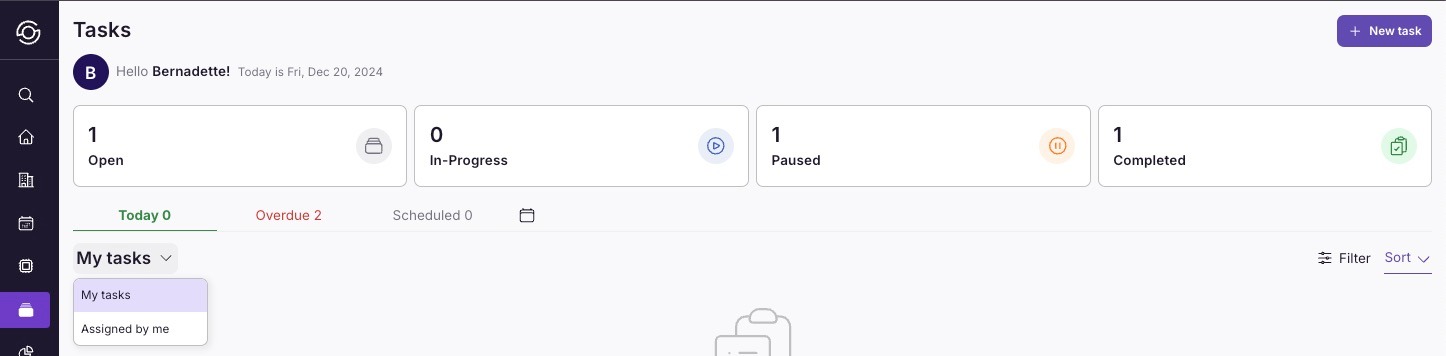
View tasks assigned to you and tasks assigned** by you**.
- Go to Tasks > My Tasks.
From here, you can:
View an overview of your tasks for the day.
-
Use the filter and sort options on the right side of the page to customize your view.
-
Check overdue and scheduled tasks for better task management.
View the Task Schedule for the Entire Team
To get an in-depth view of tasks across your team go to Tasks > Schedule.
Here’s what you can view:
-
ALL Tasks: See all created tasks based on the selected date range in the filter. Sort tasks by dates for easier tracking.
-
Overdue: View all tasks that are still OPEN or PENDING past their due date.
-
Scheduled: Check all tasks that have been scheduled.
-
By User: View tasks assigned to each user based on the selected date range and status in the filter.
-
By Property: See tasks grouped by property based on the selected date range and status in the filter.
-
By Month: Access a calendar view of tasks filtered by date and status for a quick overview of monthly scheduling.** NOTE:** You can export this data to manage tasks outside of SuiteOp. Learn more here: Exporting Data.