Sometimes you may want to create a manual reservation that isn’t present in your PMS. This can be useful for testing guest portals or sending owners examples of the guest portal. Follow the below steps to create a manual test reservation.
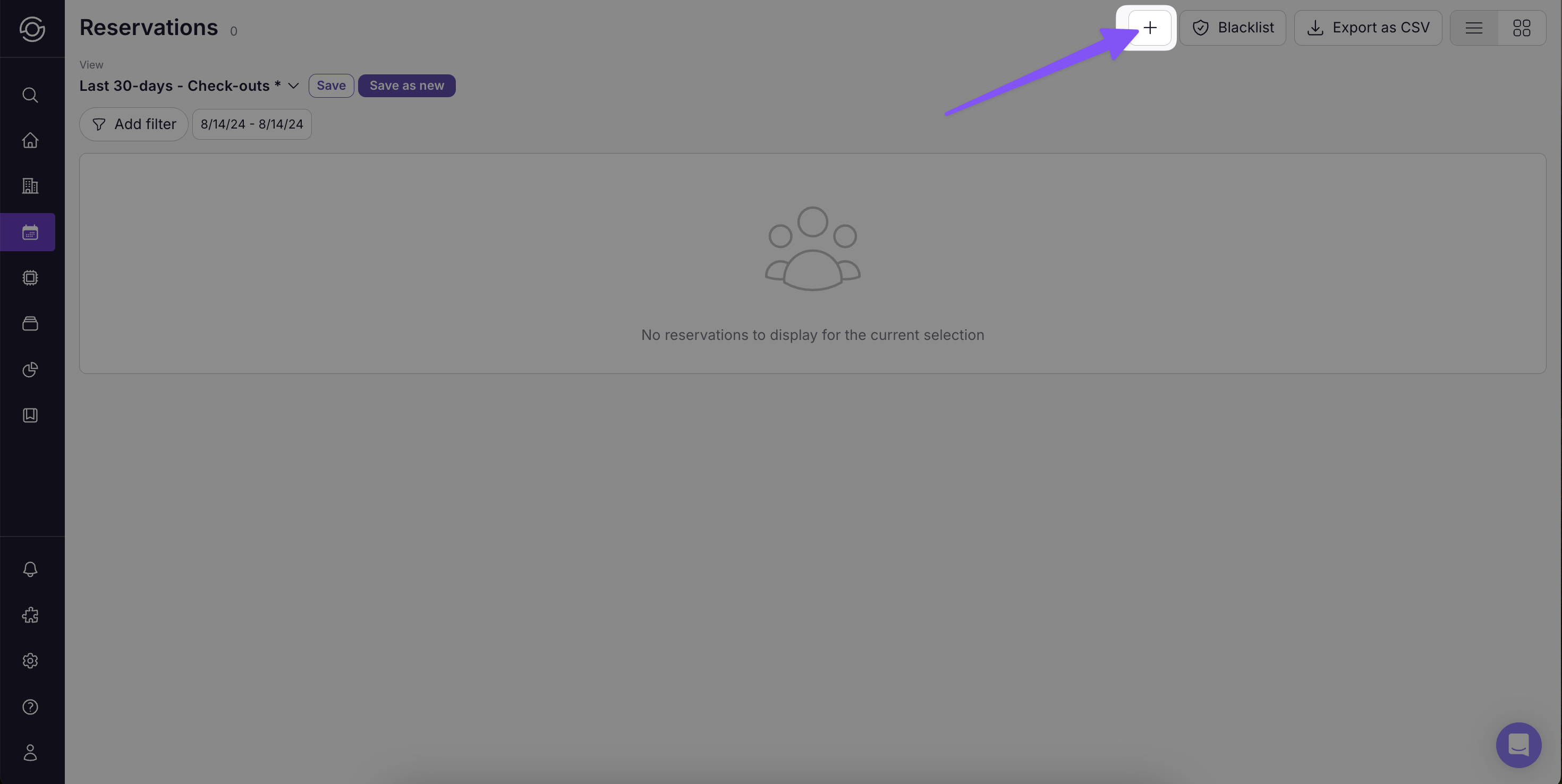
- Click the plus sign on the Reservations page
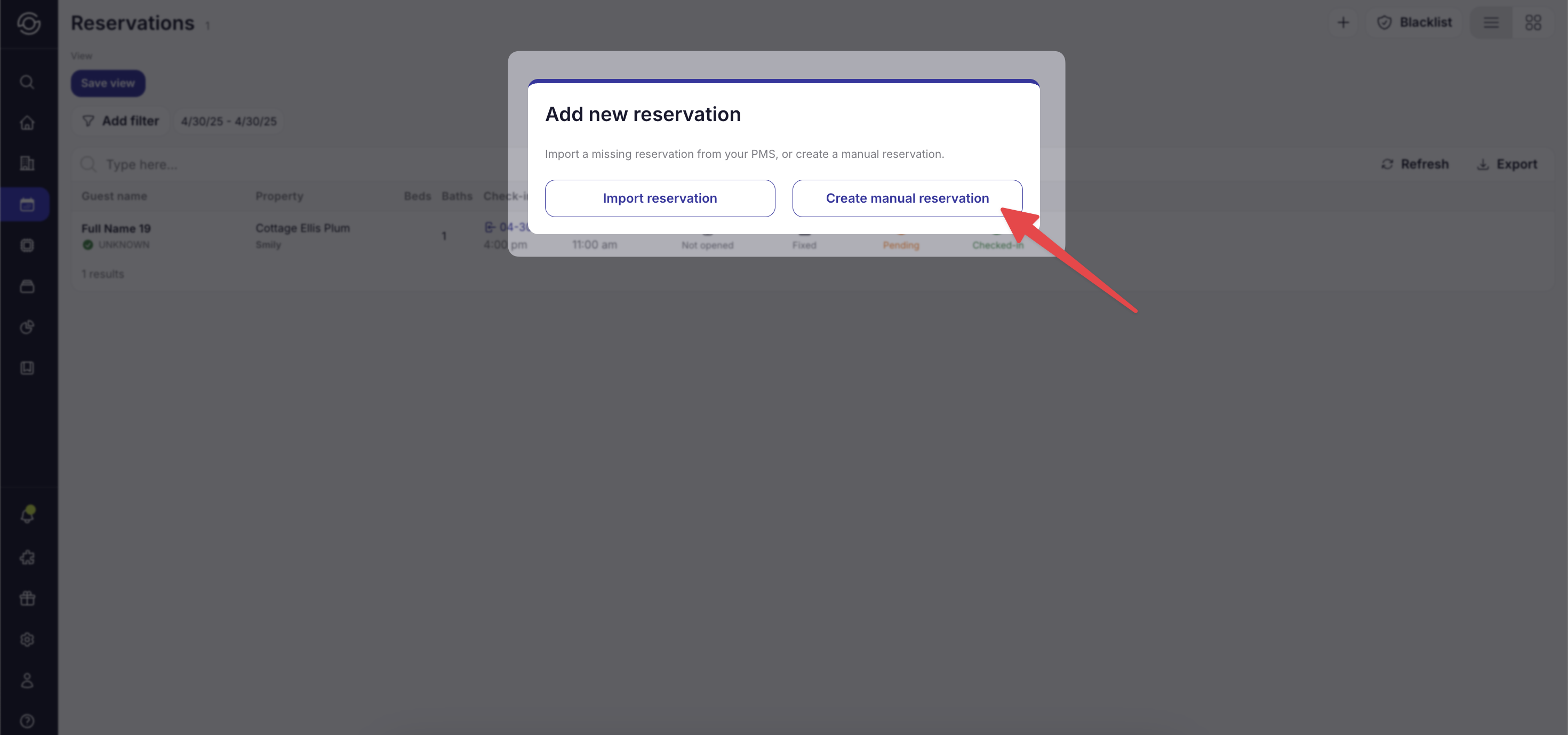
- Click Create manual reservation
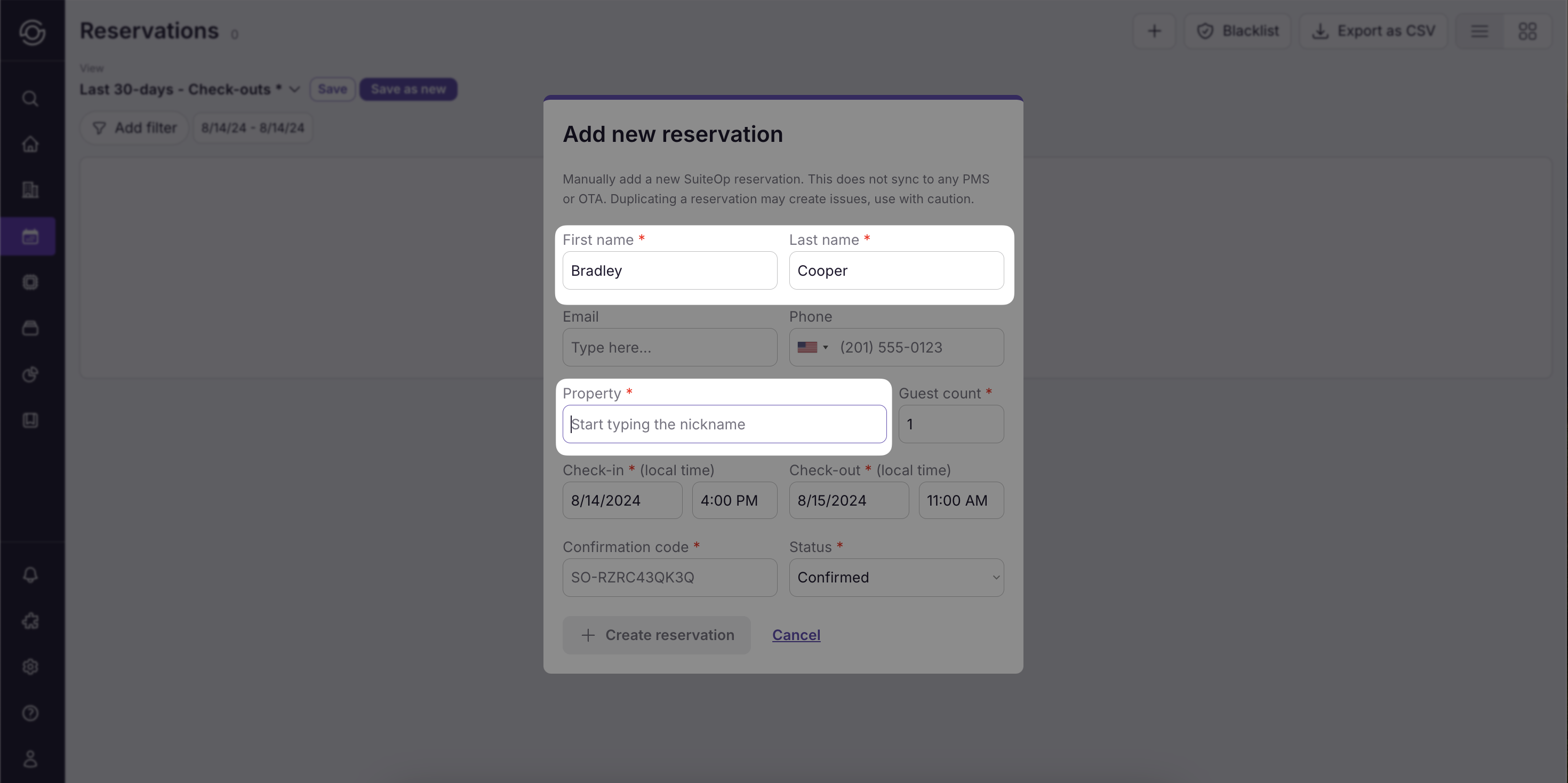
- Fill in the name and select a property attached to the Guest Portal you are trying to view. We recommend naming this Test Reservation if it’s being using for testing purposes.
-
Click +Create reservation
-
Done! Your test reservation is created
Last updated on