To protect against phishing and spam, we recommend adding your guest portal URLs to Booking.com’s Approved links. This will ensure your guest portal links get delivered securely to each guest. Follow the steps below to add both the generic portal link and your custom URL.
Head to your Booking.com account to begin.
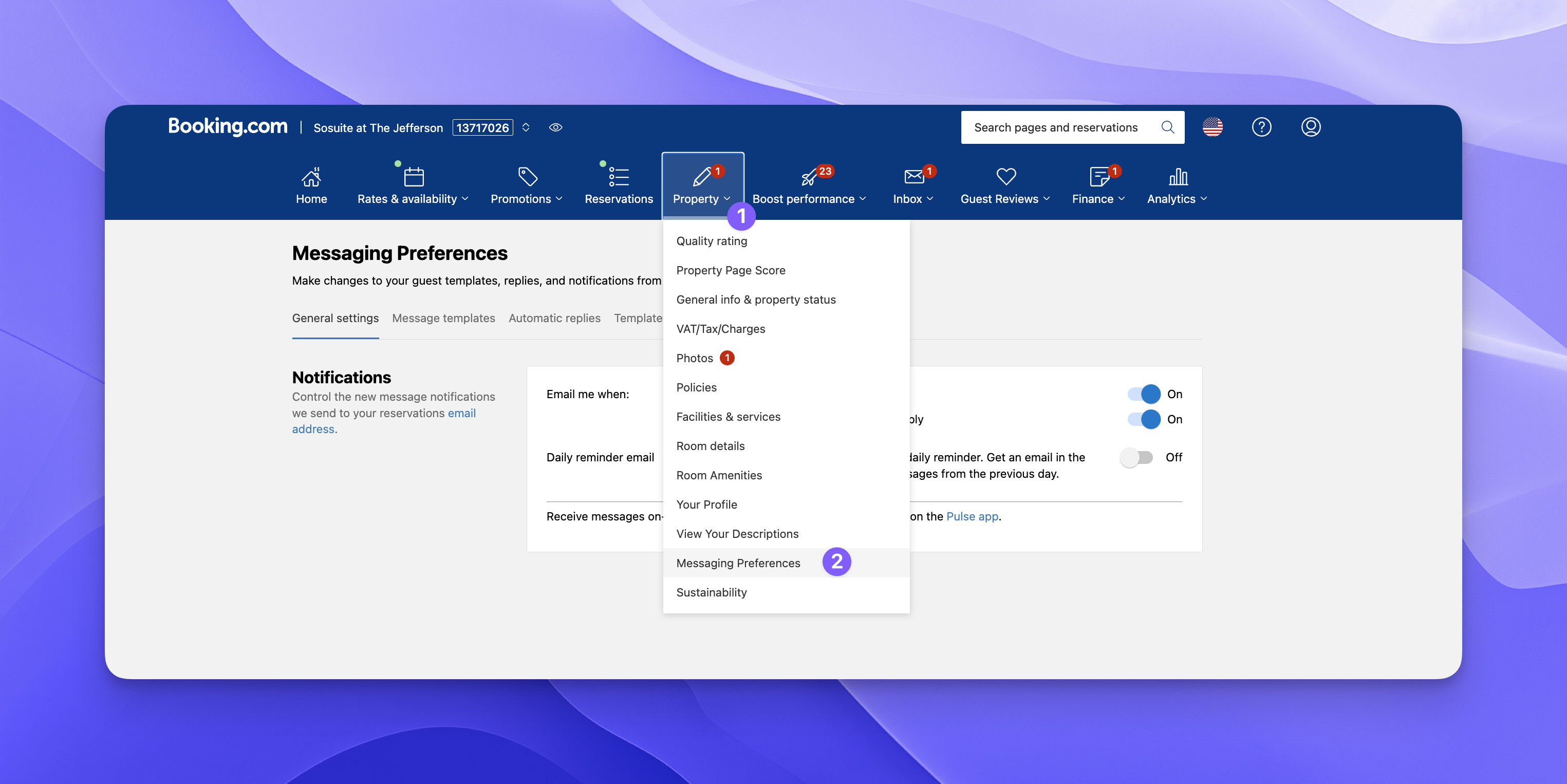
Step 1: Click the property dropdown
Step 2: Select Messaging preferences
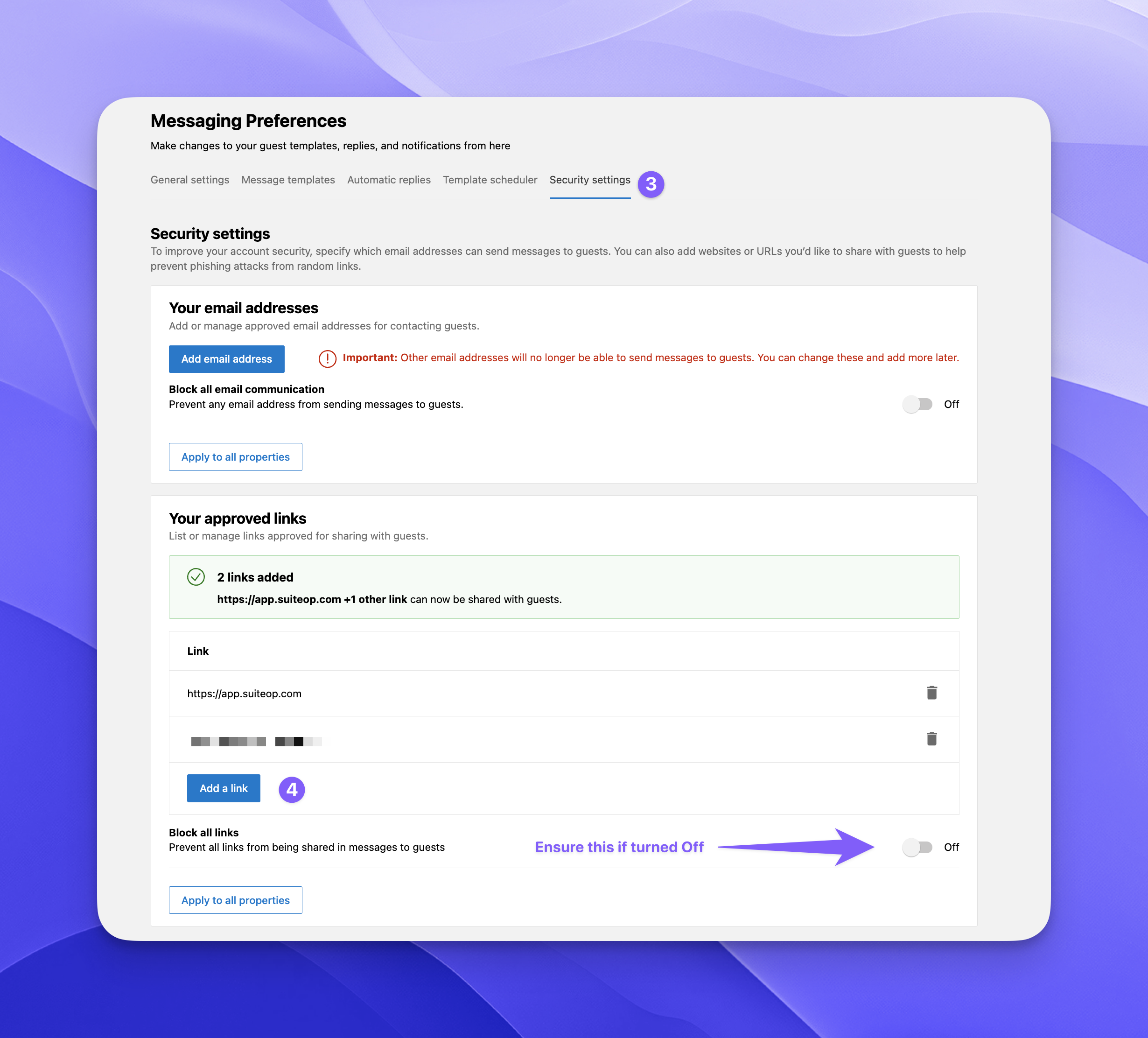
Step 3: Go to the Security settings tab
Step 4: Add a link
- Ensure “Block all links” is switched off
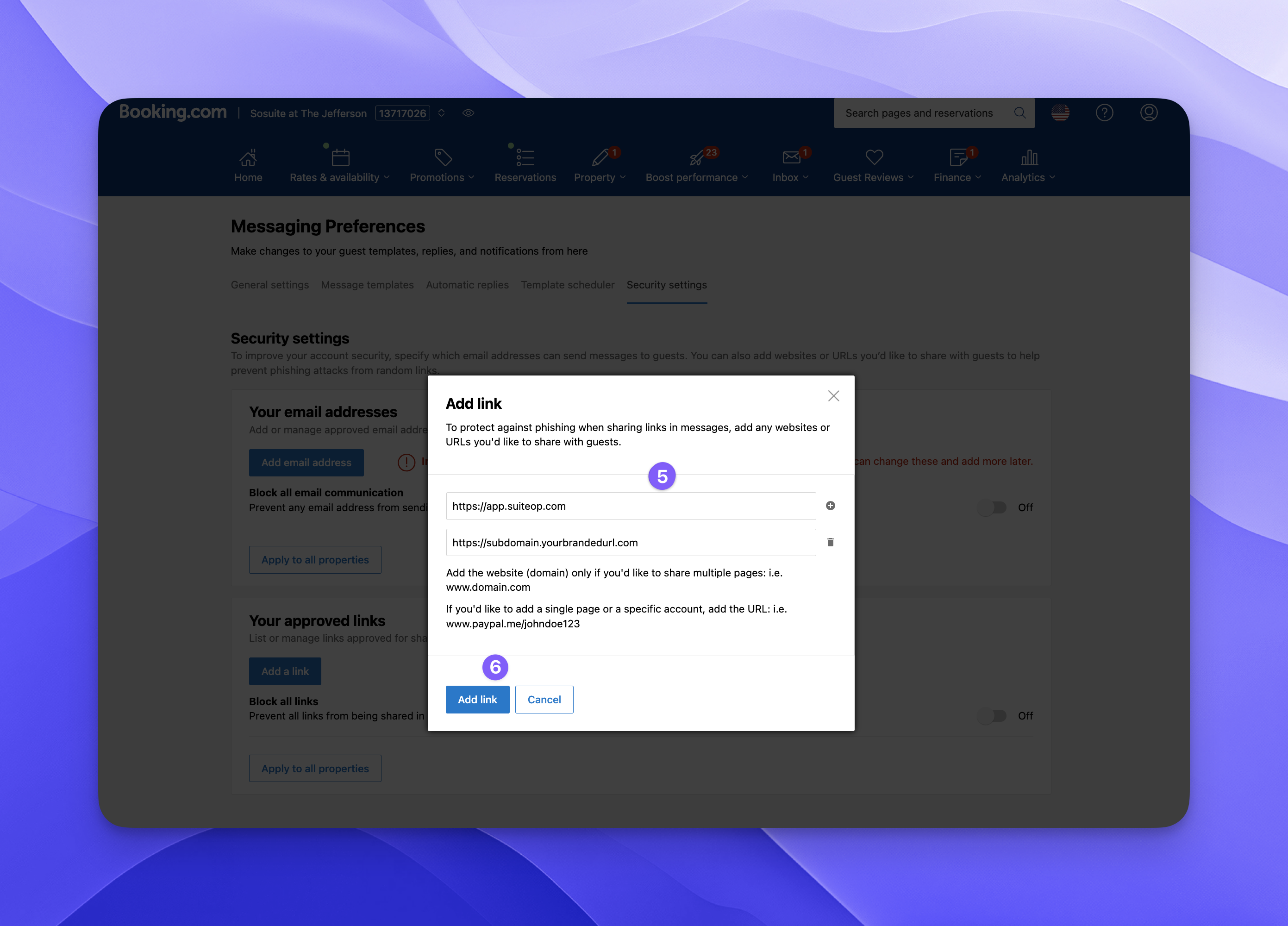
Step 5: Enter https://dash.suiteop.com and your custom URL https://subdomain.yourdomain.com
Step 6: Click Add link
Last updated on